Why Subscription Costs Are Easy to Overlook
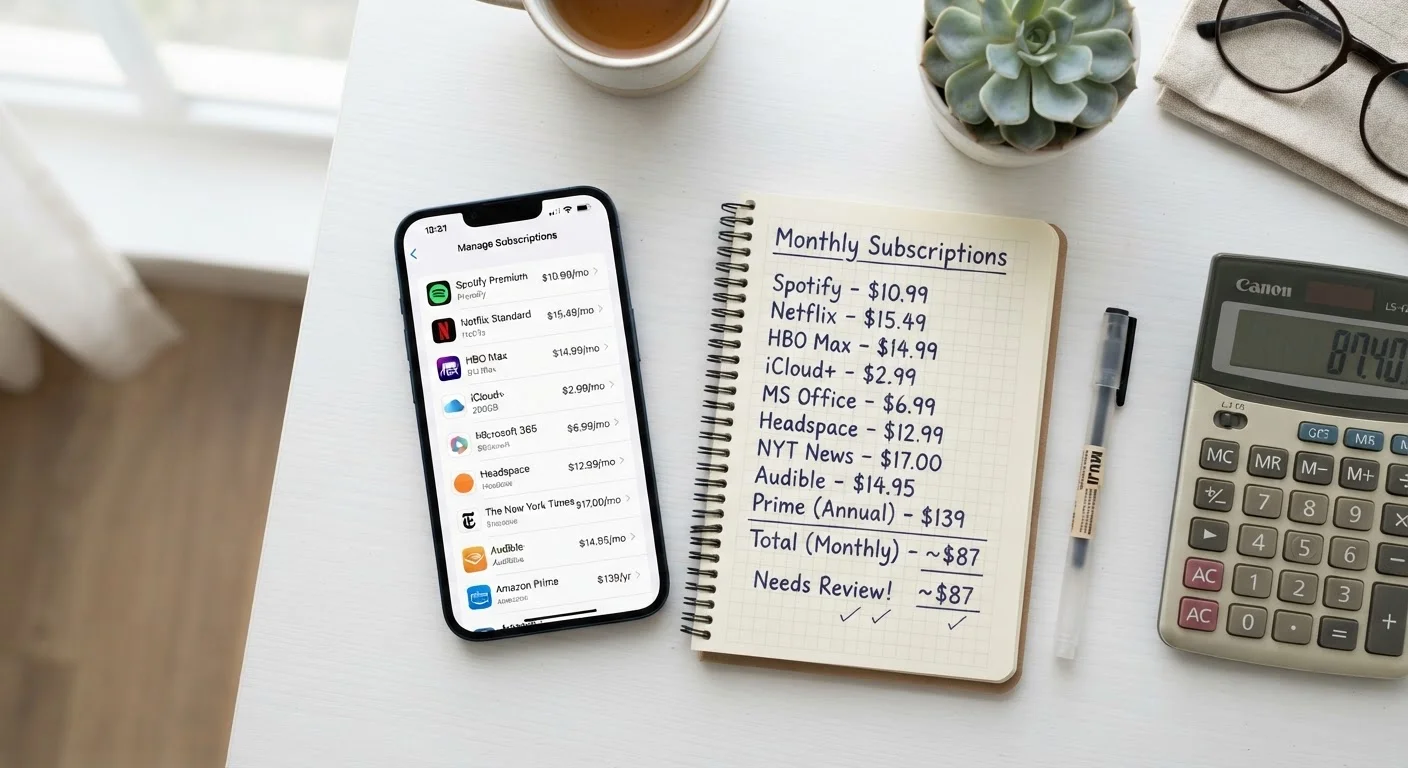
Recurring charges are designed to feel small. A service priced at $7.99 or $12.99 a month rarely triggers the same scrutiny as a $100 one-time purchase - even though several of them together can easily exceed that in a single billing cycle. This is sometimes called subscription creep: the gradual accumulation of recurring charges that individually seem minor but collectively represent a significant monthly outgoing.
Most people underestimate how much they're spending on subscriptions. If you've never sat down and counted every recurring charge hitting your accounts, there's a good chance the total will surprise you. A broader look at where your money goes each month - including subscriptions - is covered in where your money actually goes each month.
The fix isn't complicated, but it does require a deliberate audit. The steps below walk you through exactly how to do it.
Free Trials Convert Automatically
Many services start billing you the moment a free trial ends - without a reminder. Before signing up for any trial, note the end date and set a calendar alert. If you don't want to continue, cancel before that date to avoid being charged.
What You'll Need Before You Start
This audit doesn't require any special tools or financial expertise - just access to your accounts and a willingness to be honest about what you're actually using. Here's what to have ready:
What you will need
Bank or credit card statements (last 3 months)
Primary source for identifying every recurring charge hitting your accounts.
Spreadsheet or notepad
Used to list, categorize, and evaluate each subscription you find.
Email search
Search your inbox for keywords like 'receipt,' 'renewal,' or 'subscription' to catch charges you may have missed in statements.
Subscription tracking app
Optional tool that connects to your accounts and surfaces recurring charges automatically.
Once you have these items on hand, the process typically takes 20 to 45 minutes for a first-time audit. Subsequent reviews are faster because you'll already have your baseline list.
Use One Card for Subscriptions
Routing all recurring charges through a single credit or debit card makes future audits much faster - you only have one place to check. It also makes it easier to spot unfamiliar charges the moment they appear.
Step-by-Step: How to Audit Your Subscriptions
Follow these steps in order. The goal is to get a complete, honest picture of your recurring charges first - then make decisions about each one.
Pull your last three months of statements
Log in to your bank and any credit card accounts you use. Download or view statements for the past three months. Three months is a practical window because some charges are quarterly rather than monthly - a single month might miss them entirely.
List every recurring charge you find
Go line by line and write down anything that repeats - streaming services, fitness apps, cloud storage, news sites, software tools, delivery memberships, and anything else that bills on a schedule. Include the name, amount, and billing frequency. Don't filter yet; capture everything first.
Calculate the true annual cost of each item
For each subscription on your list, multiply the monthly charge by 12. A $9.99 streaming service is roughly $120 a year. A $4.99 app that felt trivial is nearly $60 annually. Seeing the yearly figure changes your perspective - small charges stop feeling harmless when you see them stacked up.
Sort subscriptions into three categories
Label each item on your list as one of the following:
- Keep: You use it regularly and get clear value from it.
- Review: You use it occasionally or you're unsure if the cost is justified.
- Cancel: You rarely or never use it, or you'd forgotten you were still paying for it.
Be honest. If you haven't logged into a service in the past month, that's a meaningful signal.
Cancel or pause what you don't need
Work through your 'Cancel' list and end those subscriptions. Most services allow you to cancel directly through your account settings online. For anything that resists easy cancellation, contact customer support directly. If a service offers a pause option, that can be useful for seasonal subscriptions you might want later.
Optimize what you decide to keep
For subscriptions in your 'Keep' or 'Review' pile, look for ways to reduce the cost without giving them up entirely:
- Downgrade the tier: Many services offer a lower-cost plan with fewer features. If you're not using the premium features, the base plan may be sufficient.
- Switch to annual billing: Annual plans are often 15-20% cheaper than paying month to month, assuming you're confident you'll use the service for the full year.
- Share a plan: Many streaming and software services offer family or group plans at a fraction of the per-person cost.
Schedule a quarterly subscription check-in
Set a recurring reminder every three months to repeat this review. Subscription creep tends to return gradually - a new trial here, a bundled add-on there. A quarterly audit keeps the total manageable and prevents the slow drain from starting again without you noticing.
Cancellation Doesn't Always Mean Immediate Stoppage
Some services continue access until the end of a paid billing period after you cancel, while others cut access immediately. Read the cancellation terms before confirming so you know what to expect and aren't caught off-guard.
For more context on how small recurring charges can quietly inflate the true cost of services you signed up for, see the hidden costs that turn a bargain into a bad deal.
Making the Savings Stick
Completing this audit once is useful. Building it into a regular habit is where the lasting benefit comes from. Subscriptions have a tendency to accumulate again over time - especially when services offer free trials or bundle extras into existing accounts without much fanfare.
Any money freed up from canceled subscriptions is most effective when redirected deliberately - whether toward a savings goal, debt repayment, or simply as breathing room in your monthly budget. If you want a structured way to think about where those savings should go, the budgeting basics hub covers the fundamentals of building a budget that works for your situation.
The subscription audit is one of the more straightforward moves in personal finance: it requires no income increase, no major lifestyle change, and no complex strategy. It's simply a matter of paying attention - and acting on what you find.
This article is for general informational purposes only and does not constitute personalized financial advice. Consider speaking with a qualified financial professional regarding decisions specific to your circumstances.